cduck.me
1# drawSvg
2
3A Python 3 library for programmatically generating SVG images (vector drawings) and rendering them or displaying them in a Jupyter notebook.
4
5Most common SVG tags are supported and others can easily be added by writing a small subclass of `DrawableBasicElement` or `DrawableParentElement`.
6
7An interactive [Jupyter notebook](https://jupyter.org) widget, `drawSvg.widgets.DrawingWidget`, is included that can update drawings based on mouse events.
8
9# Install
10
11drawSvg is available on PyPI:
12
13```
14$ pip3 install drawSvg
15```
16
17## Prerequisites
18
19Cairo needs to be installed separately. When Cairo is installed, drawSvg can output PNG or other image formats in addition to SVG. See platform-specific [instructions for Linux, Windows, and macOS from Cairo](https://www.cairographics.org/download/). Below are some examples for installing Cairo on Linux distributions and macOS.
20
21**Ubuntu**
22
23```
24$ sudo apt-get install libcairo2
25```
26
27**macOS**
28
29Using [homebrew](https://brew.sh/):
30
31```
32$ brew install cairo
33```
34
35# Examples
36
37### Basic drawing elements
38```python
39import drawSvg as draw
40
41d = draw.Drawing(200, 100, origin='center', displayInline=False)
42
43# Draw an irregular polygon
44d.append(draw.Lines(-80, -45,
45 70, -49,
46 95, 49,
47 -90, 40,
48 close=False,
49 fill='#eeee00',
50 stroke='black'))
51
52# Draw a rectangle
53d.append(draw.Rectangle(0,0,40,50, fill='#1248ff'))
54
55# Draw a circle
56d.append(draw.Circle(-40, -10, 30,
57 fill='red', stroke_width=2, stroke='black'))
58
59# Draw an arbitrary path (a triangle in this case)
60p = draw.Path(stroke_width=2, stroke='green',
61 fill='black', fill_opacity=0.5)
62p.M(-30,5) # Start path at point (-30, 5)
63p.l(60,30) # Draw line to (60, 30)
64p.h(-70) # Draw horizontal line to x=-70
65p.Z() # Draw line to start
66d.append(p)
67
68# Draw multiple circular arcs
69d.append(draw.ArcLine(60,-20,20,60,270,
70 stroke='red', stroke_width=5, fill='red', fill_opacity=0.2))
71d.append(draw.Arc(60,-20,20,60,270,cw=False,
72 stroke='green', stroke_width=3, fill='none'))
73d.append(draw.Arc(60,-20,20,270,60,cw=True,
74 stroke='blue', stroke_width=1, fill='black', fill_opacity=0.3))
75
76# Draw arrows
77arrow = draw.Marker(-0.1, -0.5, 0.9, 0.5, scale=4, orient='auto')
78arrow.append(draw.Lines(-0.1, -0.5, -0.1, 0.5, 0.9, 0, fill='red', close=True))
79p = draw.Path(stroke='red', stroke_width=2, fill='none',
80 marker_end=arrow) # Add an arrow to the end of a path
81p.M(20, -40)
82p.L(20, -27)
83p.L(0, -20)
84d.append(p)
85d.append(draw.Line(30, -20, 0, -10,
86 stroke='red', stroke_width=2, fill='none',
87 marker_end=arrow)) # Add an arrow to the end of a line
88
89d.setPixelScale(2) # Set number of pixels per geometry unit
90#d.setRenderSize(400,200) # Alternative to setPixelScale
91d.saveSvg('example.svg')
92d.savePng('example.png')
93
94# Display in Jupyter notebook
95d.rasterize() # Display as PNG
96d # Display as SVG
97```
98
99[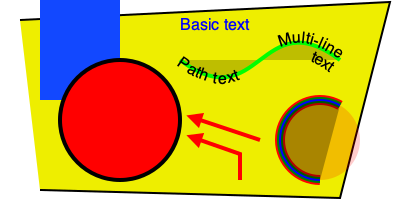](https://github.com/cduck/drawSvg/blob/master/examples/example1.svg)
100
101### Gradients
102```python
103import drawSvg as draw
104
105d = draw.Drawing(1.5, 0.8, origin='center')
106
107d.draw(draw.Rectangle(-0.75,-0.5,1.5,1, fill='#ddd'))
108
109# Create gradient
110gradient = draw.RadialGradient(0,-0.35,0.7*10)
111gradient.addStop(0.5/0.7/10, 'green', 1)
112gradient.addStop(1/10, 'red', 0)
113
114# Draw a shape to fill with the gradient
115p = draw.Path(fill=gradient, stroke='black', stroke_width=0.002)
116p.arc(0,-0.35,0.7,30,120)
117p.arc(0,-0.35,0.5,120,30,cw=True, includeL=True)
118p.Z()
119d.append(p)
120
121# Draw another shape to fill with the same gradient
122p = draw.Path(fill=gradient, stroke='red', stroke_width=0.002)
123p.arc(0,-0.35,0.75,130,160)
124p.arc(0,-0.35,0,160,130,cw=True, includeL=True)
125p.Z()
126d.append(p)
127
128# Another gradient
129gradient2 = draw.LinearGradient(0.1,-0.35,0.1+0.6,-0.35+0.2)
130gradient2.addStop(0, 'green', 1)
131gradient2.addStop(1, 'red', 0)
132d.append(draw.Rectangle(0.1,-0.35,0.6,0.2,
133 stroke='black', stroke_width=0.002,
134 fill=gradient2))
135
136# Display
137d.setRenderSize(w=600)
138d
139```
140
141[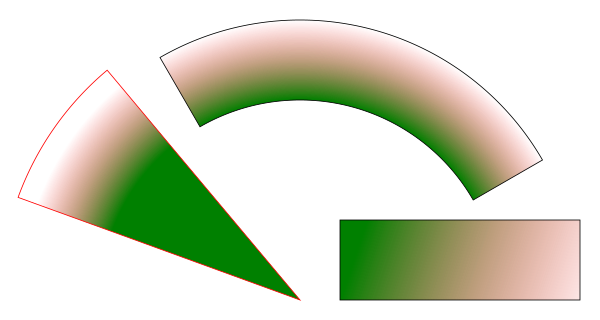](https://github.com/cduck/drawSvg/blob/master/examples/example2.svg)
142
143### Duplicate geometry and clip paths
144```python
145import drawSvg as draw
146
147d = draw.Drawing(1.4, 1.4, origin='center')
148
149# Define clip path
150clip = draw.ClipPath()
151clip.append(draw.Rectangle(-.25,.25-1,1,1))
152
153# Draw a cropped circle
154c = draw.Circle(0,0,0.5, stroke_width='0.01', stroke='black',
155 fill_opacity=0.3, clip_path=clip,
156 id='circle')
157d.append(c)
158
159# Make a transparent copy, cropped again
160g = draw.Group(opacity=0.5, clip_path=clip)
161g.append(draw.Use('circle', 0.25,0.1))
162d.append(g)
163
164# Display
165d.setRenderSize(400)
166d.rasterize()
167```
168
169[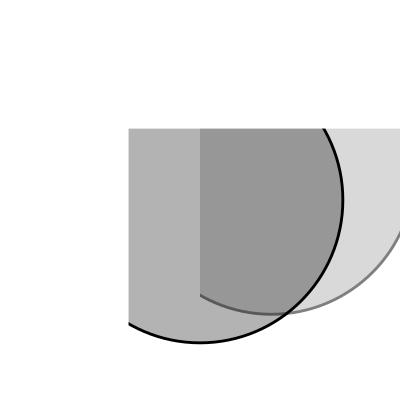](https://github.com/cduck/drawSvg/blob/master/examples/example3.svg)
170
171### Implementing other SVG tags
172```python
173import drawSvg as draw
174
175# Subclass DrawingBasicElement if it cannot have child nodes
176# Subclass DrawingParentElement otherwise
177# Subclass DrawingDef if it must go between <def></def> tags in an SVG
178class Hyperlink(draw.DrawingParentElement):
179 TAG_NAME = 'a'
180 def __init__(self, href, target=None, **kwargs):
181 # Other init logic...
182 # Keyword arguments to super().__init__() correspond to SVG node
183 # arguments: stroke_width=5 -> stroke-width="5"
184 super().__init__(href=href, target=target, **kwargs)
185
186d = draw.Drawing(1, 1.2, origin='center')
187
188# Create hyperlink
189hlink = Hyperlink('https://www.python.org', target='_blank',
190 transform='skewY(-30)')
191# Add child elements
192hlink.append(draw.Circle(0,0,0.5, fill='green'))
193hlink.append(draw.Text('Hyperlink',0.2, 0,0, center=0.6, fill='white'))
194
195# Draw and display
196d.append(hlink)
197d.setRenderSize(200)
198d
199```
200
201[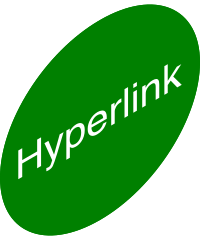](https://github.com/cduck/drawSvg/blob/master/examples/example4.svg)
202
203### Animation with the SVG Animate Tag
204```python
205import drawSvg as draw
206
207d = draw.Drawing(200, 200, origin='center')
208
209# Animate the position and color of circle
210c = draw.Circle(0, 0, 20, fill='red')
211# See for supported attributes:
212# https://developer.mozilla.org/en-US/docs/Web/SVG/Element/animate
213c.appendAnim(draw.Animate('cy', '6s', '-80;80;-80',
214 repeatCount='indefinite'))
215c.appendAnim(draw.Animate('cx', '6s', '0;80;0;-80;0',
216 repeatCount='indefinite'))
217c.appendAnim(draw.Animate('fill', '6s', 'red;green;blue;yellow',
218 calcMode='discrete',
219 repeatCount='indefinite'))
220d.append(c)
221
222# Animate a black circle around an ellipse
223ellipse = draw.Path()
224ellipse.M(-90, 0)
225ellipse.A(90, 40, 360, True, True, 90, 0) # Ellipse path
226ellipse.A(90, 40, 360, True, True, -90, 0)
227ellipse.Z()
228c2 = draw.Circle(0, 0, 10)
229# See for supported attributes:
230# https://developer.mozilla.org/en-US/docs/Web/SVG/Element/animateMotion
231c2.appendAnim(draw.AnimateMotion(ellipse, '3s',
232 repeatCount='indefinite'))
233# See for supported attributes:
234# https://developer.mozilla.org/en-US/docs/Web/SVG/Element/animateTransform
235c2.appendAnim(draw.AnimateTransform('scale', '3s', '1,2;2,1;1,2;2,1;1,2',
236 repeatCount='indefinite'))
237d.append(c2)
238
239d.saveSvg('animated.svg') # Save to file
240d # Display in Jupyter notebook
241```
242
243[](https://github.com/cduck/drawSvg/blob/master/examples/animated.svg)
244
245### Interactive Widget
246```python
247import drawSvg as draw
248from drawSvg.widgets import DrawingWidget
249import hyperbolic.poincare.shapes as hyper # pip3 install hyperbolic
250
251# Create drawing
252d = draw.Drawing(2, 2, origin='center')
253d.setRenderSize(500)
254d.append(draw.Circle(0, 0, 1, fill='orange'))
255group = draw.Group()
256d.append(group)
257
258# Update the drawing based on user input
259click_list = []
260def redraw(points):
261 group.children.clear()
262 for x1, y1 in points:
263 for x2, y2 in points:
264 if (x1, y1) == (x2, y2): continue
265 p1 = hyper.Point.fromEuclid(x1, y1)
266 p2 = hyper.Point.fromEuclid(x2, y2)
267 if p1.distanceTo(p2) <= 2:
268 line = hyper.Line.fromPoints(*p1, *p2, segment=True)
269 group.draw(line, hwidth=0.2, fill='white')
270 for x, y in points:
271 p = hyper.Point.fromEuclid(x, y)
272 group.draw(hyper.Circle.fromCenterRadius(p, 0.1),
273 fill='green')
274redraw(click_list)
275
276# Create interactive widget and register mouse events
277widget = DrawingWidget(d)
278@widget.mousedown
279def mousedown(widget, x, y, info):
280 if (x**2 + y**2) ** 0.5 + 1e-5 < 1:
281 click_list.append((x, y))
282 redraw(click_list)
283 widget.refresh()
284@widget.mousemove
285def mousemove(widget, x, y, info):
286 if (x**2 + y**2) ** 0.5 + 1e-5 < 1:
287 redraw(click_list + [(x, y)])
288 widget.refresh()
289widget
290```
291
292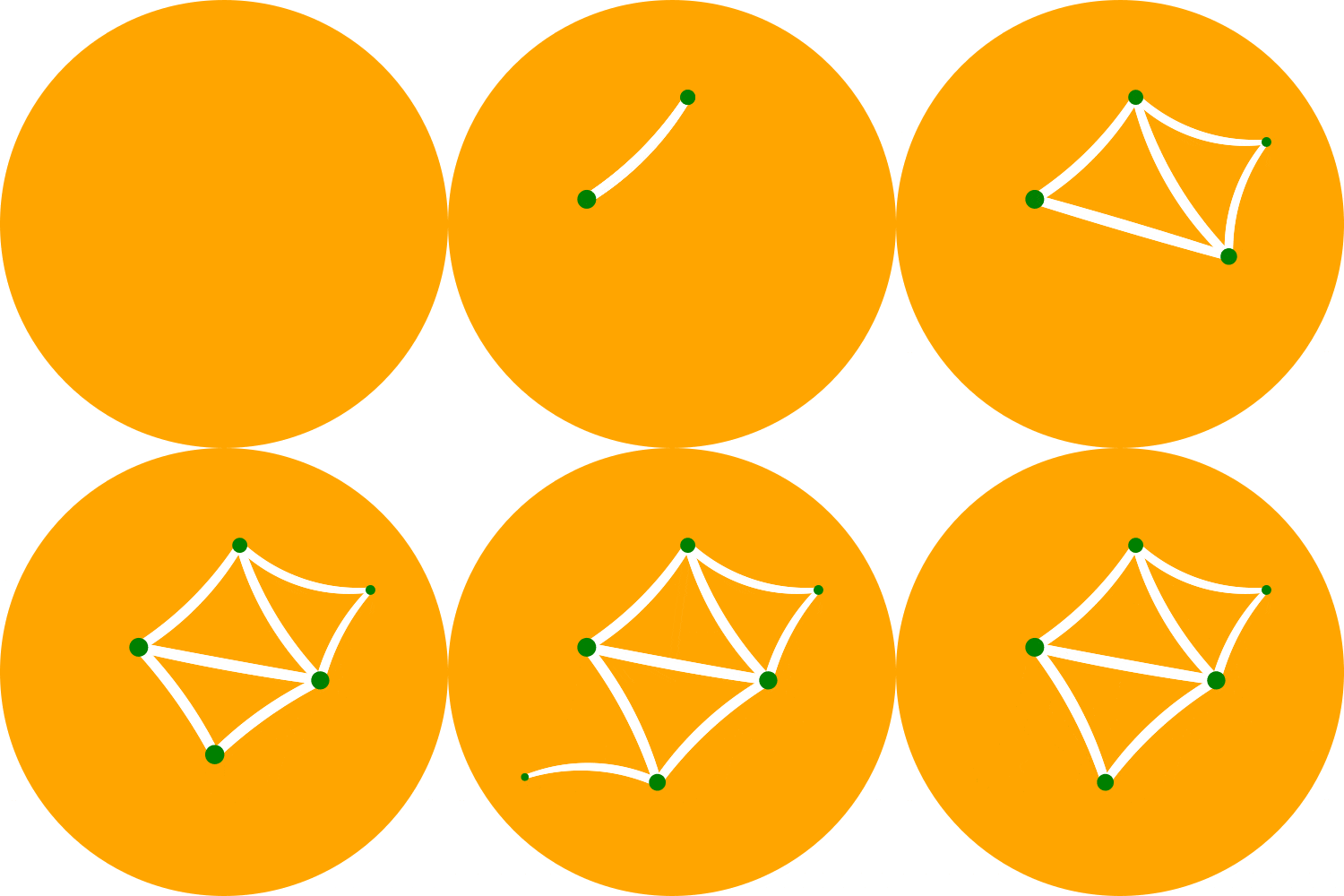
293
294### Animation with Python
295```python
296import drawSvg as draw
297
298# Draw a frame of the animation
299def draw_frame(t):
300 d = draw.Drawing(2, 6.05, origin=(-1,-1.05))
301 d.setRenderSize(h=300)
302 d.append(draw.Rectangle(-2, -2, 4, 8, fill='white'))
303 d.append(draw.Rectangle(-1, -1.05, 2, 0.05, fill='brown'))
304 t = (t + 1) % 2 - 1
305 y = 4 - t**2 * 4
306 d.append(draw.Circle(0, y, 1, fill='lime'))
307 return d
308
309with draw.animate_jupyter(draw_frame, delay=0.05) as anim:
310# Or:
311#with draw.animate_video('example6.gif', draw_frame, duration=0.05
312# ) as anim:
313 # Add each frame to the animation
314 for i in range(20):
315 anim.draw_frame(i/10)
316 for i in range(20):
317 anim.draw_frame(i/10)
318 for i in range(20):
319 anim.draw_frame(i/10)
320```
321
322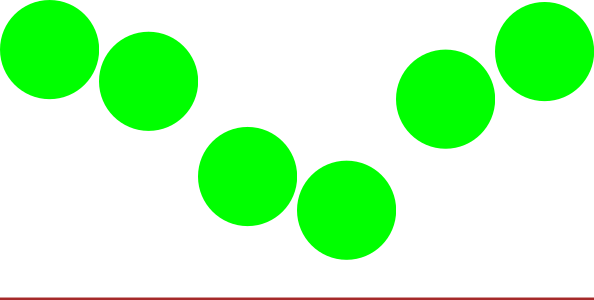
323
324### Asynchronous Animation in Jupyter
325```python
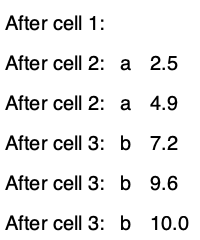
326# Jupyter cell 1:
327widget = AsyncAnimation(fps=10)
328widget
329# [Animation is displayed here (click to pause)]
330
331# Jupyter cell 2:
332global_variable = 'a'
333@widget.set_draw_frame # Animation above is automatically updated
334def draw_frame(secs=0):
335 # Draw something...
336 d = draw.Drawing(100, 40)
337 d.append(draw.Text(global_variable, 20, 0, 10))
338 d.append(draw.Text('{:0.1f}'.format(secs), 20, 30, 10))
339 return d
340
341# Jupyter cell 3:
342global_variable = 'b' # Animation above now displays 'b'
343```
344
345