 cduck.me
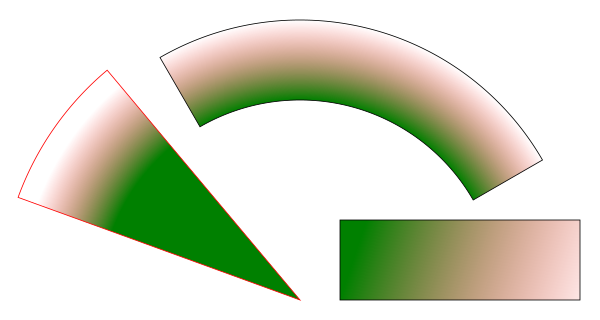

 1<?xml version="1.0" encoding="UTF-8"?>
 2<svg xmlns="http://www.w3.org/2000/svg" xmlns:xlink="http://www.w3.org/1999/xlink"
 3    width="600" height="320.0" viewBox="-0.75 -0.4 1.5 0.8">
 4<defs>
 5<pattern width="0.13" height="0.23" patternUnits="userSpaceOnUse" id="d0">
 6<rect x="0" y="0" width="0.1" height="0.1" fill="yellow" />
 7<rect x="0" y="0.1" width="0.1" height="0.1" fill="orange" />
 8</pattern>
 9<radialGradient cx="0" cy="0.35" r="7.0" gradientUnits="userSpaceOnUse" id="d1">
10<stop offset="0.07142857142857142" stop-color="green" stop-opacity="1" />
11<stop offset="0.1" stop-color="red" stop-opacity="0" />
12</radialGradient>
13<linearGradient x1="0.1" y1="0.35" x2="0.7" y2="0.55" gradientUnits="userSpaceOnUse" id="d2">
14<stop offset="0" stop-color="green" stop-opacity="1" />
15<stop offset="1" stop-color="red" stop-opacity="0" />
16</linearGradient>
17</defs>
18<rect x="-0.75" y="-0.5" width="1.5" height="1" fill="url(#d0)" fill-opacity="0.4" />
19<path d="M0.6062177826491071,5.551115123125783e-17 A0.7,0.7,0,0,0,-0.3499999999999998,-0.2562177826491071 L-0.2499999999999999,-0.08301270189221943 A0.5,0.5,0,0,1,0.43301270189221935,0.1 Z" fill="url(#d1)" stroke="black" stroke-width="0.002" />
20<path d="M-0.48209070726490444,-0.22453333233923367 A0.75,0.75,0,0,0,-0.7047694655894312,0.09348489250574832 L0.0,0.35 A0,0,0,0,1,0.0,0.35 Z" fill="url(#d1)" stroke="red" stroke-width="0.002" />
21<rect x="0.1" y="0.15" width="0.6" height="0.2" stroke="black" stroke-width="0.002" fill="url(#d2)" />
22</svg>