a cache for slack profile pictures and emojis
 dunkirk.sh
1# Cachet
2
3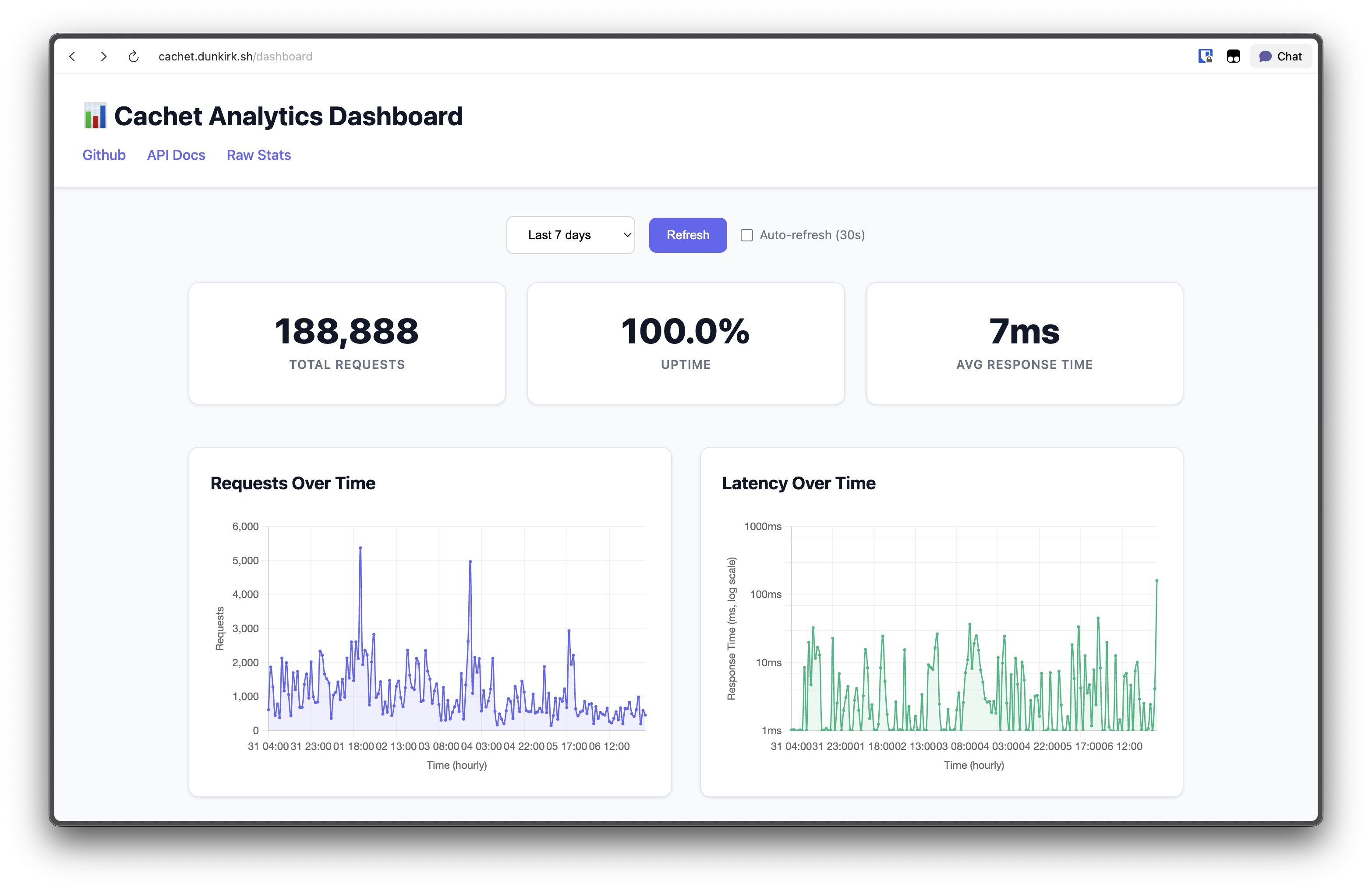
4
5<p align="center">
6 <img src="https://raw.githubusercontent.com/taciturnaxolotl/carriage/master/.github/images/line-break-thin.svg" />
7</p>
8
9## What's this?
10
11Cachet is a cache / proxy for profile pictures and emojis on the hackclub slack! I made it because calling the slack api every time you want a profile image or emoji is expensive and annoying. Now you can just call the cachet api and get a link to the image or emoji you want! Best of all we are just linking to slack's cdn so it doesn't cost me much of anything (besides db space) to run!
12
13I also built an analytics dashboard that shows request patterns over time and latency graphs with logarithmic scaling (because some requests hit 1000ms+ and that was making the normal latency invisible). The dashboard loads progressively to avoid the analytics queries blocking the UI.
14
15## How do I use it?
16
17Well first the question is how do I host it lol.
18
19### Hosting
20
21I'm hosting on nest so I just setup a systemd service file that runs `bun run index.ts` in the root dir of this repo. Then I setup caddy to reverse proxy `cachet.dunkirk.sh` to the app.
22
23Your `.env` file should look like this:
24
25```bash
26SLACK_TOKEN=xoxb-123456789012-123456789012-123456789012-123456789012
27SLACK_SIGNING_SECRET=12345678901234567890123456789012
28NODE_ENV=production
29SENTRY_DSN="https://xxxxx@xxxx.ingest.us.sentry.io/123456" # Optional
30DATABASE_PATH=/path/to/db.sqlite # Optional
31PORT=3000 # Optional
32```
33
34The slack app can be created from the [`manifest.yaml`](./manifest.yaml) in this repo. It just needs the `emoji:read` and `users:read` scopes.
35
36I included a service file in this repo that you can use to run the app. Just copy it to `~/.config/systemd/` and then run `systemctl --user enable cachet` and `systemctl --user start cachet` to start the app.
37
38```bash
39cp cachet.service ~/.config/systemd/user/
40mkdir data
41systemctl --user enable cachet
42systemctl --user start cachet
43```
44
45Now grab a free port from nest (`nest get_port`) and then link your domain to your nest user (`nest caddy add cachet.dunkirk.sh`) (don't for get to make a CNAME on the domain pointing to `kierank.hackclub.app`) and then after editing in a `Caddyfile` entry like the following you should be good to go! (Don't forget to restart caddy: `systemctl restart --user caddy`)
46
47```caddy
48http://cachet.dunkirk.sh {
49 bind unix/.cachet.dunkirk.sh.webserver.sock|777
50 reverse_proxy :38453
51}
52```
53
54### Usage
55
56The api is pretty simple. You can get a profile picture by calling `GET /profile/:id` where `:id` is the slack user id. You can get an emoji by calling `GET /emoji/:name` where `:name` is the name of the emoji. You can also get a list of all emojis by calling `GET /emojis`.
57
58Additionally, you can manually purge a specific user's cache with `POST /users/:user/purge` (requires authentication with a bearer token).
59
60The analytics dashboard at `/` shows request counts and latency over time with configurable time ranges. I split the analytics into separate API endpoints (`/api/stats/essential`, `/api/stats/charts`, `/api/stats/useragents`) so the basic stats load immediately while the heavy chart queries run in the background.
61
62There are also complete swagger docs available at [`/swagger`](https://cachet.dunkirk.sh/swagger) with detailed endpoint specifications and examples for all API routes.
63
64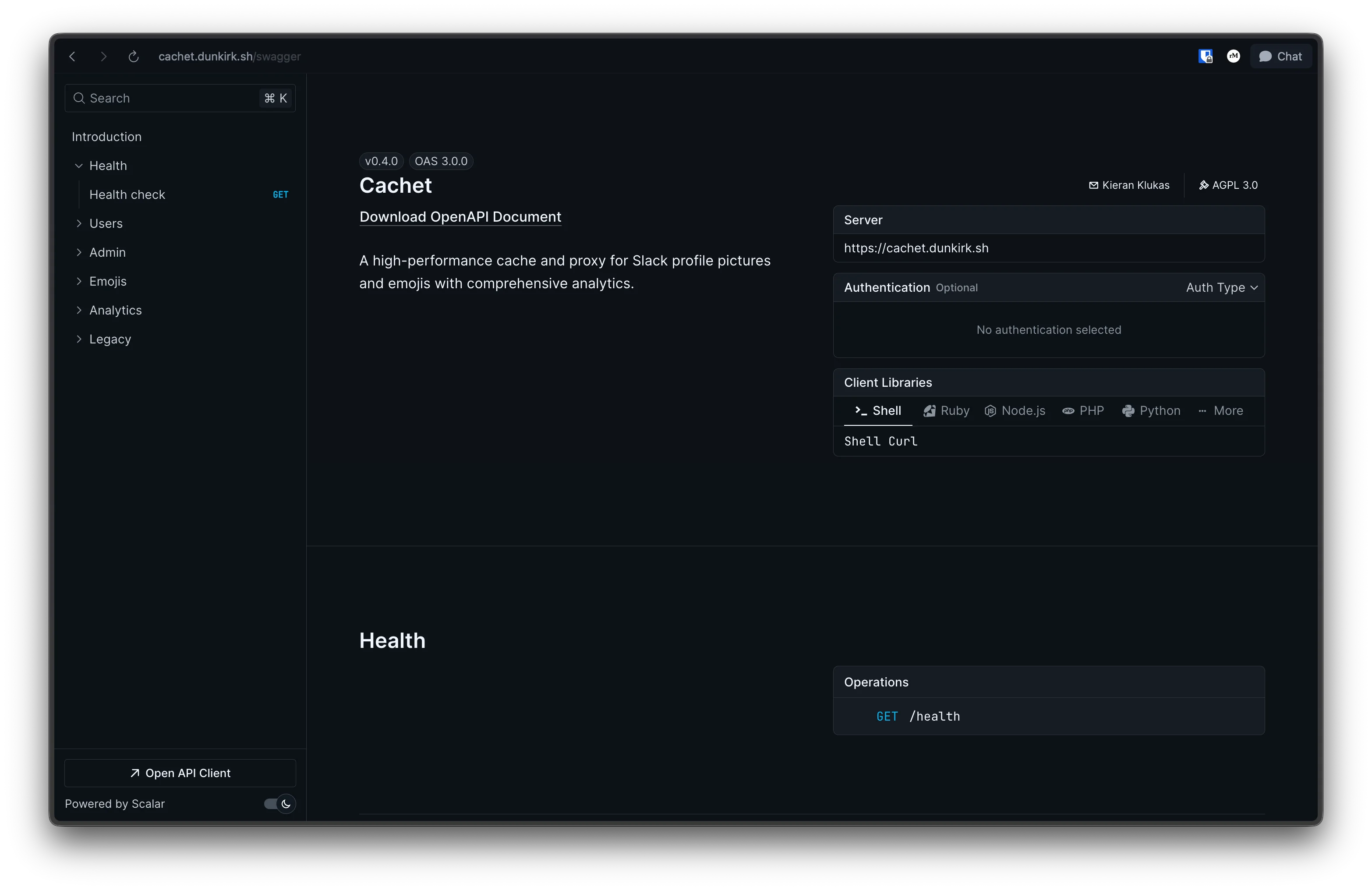
65
66## How does it work?
67
68The app is honestly super simple. It's pretty much just a cache layer on top of the slack api. When you request a profile picture or emoji it first checks the cache. If the image is in the cache it returns the link to the image. If the image is not in the cache it calls the slack api to get the link to image and then stores that in the cache before returning the image link to you!
69
70I had some performance issues where the latency would spike to 1000ms+ every few hours because of how I was handling cache expiration. Users would get purged daily and emojis would expire randomly causing bulk API fetches during peak traffic. I fixed this by switching to a "touch-to-refresh" pattern where active users get their TTL extended when accessed but queued for background updates. Now emoji updates happen at 3 AM and user cache cleanup is probabilistic during off-peak hours.
71
72There were a few interesting hurdles that made this a bit more confusing though. The first was that slack returns the `emoji.list` endpoint with not just regular emojis but also aliased emojis. The aliased emojis doesn't seem that hard at first untill you realize that someone could alias stock slack emojis. That means that we don't have a url to the image and to make it worse slack doesn't have an offically documented way to get the full list of stock emojis. Thankfully an amazing user ([@impressiver](https://github.com/impressiver)) put this all into a handy [gist](https://gist.github.com/impressiver/87b5b9682d935efba8936898fbfe1919) for everyone to use! It was last updated on 2020-12-22 so it's a bit out of date but slack doesn't seem to be changing their emojis too often so it should be fine for now.
73
74> [!NOTE]
75> Turns out that to get the update emoji data all you need to do is open the react dev tools to the component tab and copy the consolidatedEmojis field. Just make sure this is done in a brand new workspace so there are no existing emojis that get lumped in.
76
77```json
78{
79 "ok": true,
80 "emoji": {
81 "hackhaj": "https://emoji.slack-edge.com/T0266FRGM/hackshark/0bf4771247471a48.png",
82 "hackhaj": "alias:hackshark"
83 "face-grinning": "alias:grinning"
84 }
85}
86
87{
88 "grinning": "https://a.slack-edge.com/production-standard-emoji-assets/14.0/google-medium/1f601.png"
89}
90```
91
92The second challenge (technically its not a challenge; more of a side project) was building a custom cache solution based on `Bun:sqlite`. It ended up being far easier than I thought it was going to be and I'm quite happy with how it turned out! It's fully typed which makes it awesome to use and blazing fast due to the native Bun implementation of sqlite. Using it is also dead simple. Just create a new instance of the cache with a db path, a ttl, and a fetch function for the emojis and you're good to go! Inserting and getting data is also super simple and the cache is fully typed!
93
94I also added analytics tracking that stores every request with timestamps, response times, endpoints, and user agents. The database was getting pretty big (1.26M records) so I had to optimize the analytics queries and add data retention (30 days). The analytics dashboard splits the queries into separate endpoints so you get the basic stats immediately while the chart data loads in the background.
95
96```typescript
97const cache = new SlackCache(
98 process.env.DATABASE_PATH ?? "./data/cachet.db",
99 24,
100 async () => {
101 console.log("Scheduled emoji refresh starting");
102 },
103);
104
105// Set up background processing for user updates
106cache.setSlackWrapper(slackWrapper);
107
108await cache.insertUser(
109 "U062UG485EE",
110 "Kieran Klukas",
111 "he/him",
112 "https://avatars.slack-edge.com/2024-11-30/8105375749571_53898493372773a01a1f_original.jpg"
113);
114
115await cache.insertEmoji(
116 "hackshark",
117 null,
118 "https://emoji.slack-edge.com/T0266FRGM/hackshark/0bf4771247471a48.png"
119);
120
121const emoji = await cache.getEmoji("hackshark");
122const user = await cache.getUser("U062UG485EE"); // Automatically extends TTL and queues background refresh if stale
123
124// Manual cache management
125const purgeResult = await cache.purgeUserCache("U062UG485EE");
126const healthStatus = await cache.healthCheck();
127
128// Analytics data access
129const stats = await cache.getEssentialStats(7);
130const chartData = await cache.getChartData(7);
131const userAgents = await cache.getUserAgents(7);
132```
133
134The final bit was at this point a bit of a ridiculous one. I didn't like how heavyweight the `bolt` or `slack-edge` packages were so I rolled my own slack api wrapper. It's again fully typed and designed to be as lightweight as possible. The background user update queue processes up to 3 users every 30 seconds to respect Slack's rate limits.
135
136```typescript
137const slack = new Slack(
138 process.env.SLACK_TOKEN,
139 process.env.SLACK_SIGNING_SECRET,
140);
141
142const user = await slack.getUser("U062UG485EE");
143const emojis = await slack.getEmoji();
144
145// Manually purge a specific user's cache using the API endpoint
146const response = await fetch(
147 "https://cachet.example.com/users/U062UG485EE/purge",
148 {
149 method: "POST",
150 headers: {
151 Authorization: `Bearer ${process.env.BEARER_TOKEN}`,
152 },
153 },
154);
155const result = await response.json();
156// { message: "User cache purged", userId: "U062UG485EE", success: true }
157```
158
159## Development
160
161### Migrations
162
163The app includes a migration system to handle database schema and data changes between versions. Migrations are automatically run when the app starts.
164
165Previous versions are tracked in a `migrations` table in the database, which records each applied migration with its version number and timestamp.
166
167To create a new migration:
168
169```typescript
170// src/migrations/myNewMigration.ts
171import { Database } from "bun:sqlite";
172import { Migration } from "./types";
173
174export const myNewMigration: Migration = {
175 version: "0.3.2", // Should match package.json version
176 description: "What this migration does",
177
178 async up(db: Database): Promise<void> {
179 // Migration code here
180 db.run(`ALTER TABLE my_table ADD COLUMN new_column TEXT`);
181 }
182};
183
184// Then add to src/migrations/index.ts
185import { myNewMigration } from "./myNewMigration";
186
187export const migrations = [
188 endpointGroupingMigration,
189 myNewMigration,
190 // Add new migrations here
191];
192
193// IMPORTANT: Also add to src/cache.ts runMigrations method
194private async runMigrations() {
195 try {
196 const migrations = [
197 endpointGroupingMigration,
198 myNewMigration // Add here too to avoid circular dependencies
199 ];
200 // ...
201 }
202}
203```
204
205Remember to update the version in `package.json` when adding new migrations.
206
207Note: Migrations must be defined in both `index.ts` and `cache.ts` to avoid circular dependencies in the import structure.
208
209### Adding New Routes
210
211The app uses a type-safe route system that automatically generates Swagger documentation from route definitions. This ensures the API docs always stay in sync with the actual implementation.
212
213To add a new route, you need to:
214
2151. Create the handler function in `src/handlers/index.ts`:
216
217```typescript
218export const handleMyNewEndpoint: RouteHandlerWithAnalytics = async (
219 request,
220 recordAnalytics,
221) => {
222 // Your handler logic here
223 const data = { message: "Hello from new endpoint" };
224
225 await recordAnalytics(200);
226 return Response.json(data);
227};
228```
229
2302. Add the route definition in `src/routes/api-routes.ts`:
231
232```typescript
233"/my-new-endpoint": {
234 GET: createRoute(
235 withAnalytics("/my-new-endpoint", "GET", handlers.handleMyNewEndpoint),
236 {
237 summary: "My new endpoint",
238 description: "Does something useful",
239 tags: ["MyFeature"],
240 parameters: {
241 query: [
242 queryParam("limit", "number", "Number of items to return", false, 10)
243 ]
244 },
245 responses: Object.fromEntries([
246 apiResponse(200, "Success", {
247 type: "object",
248 properties: {
249 message: { type: "string", example: "Hello from new endpoint" }
250 }
251 })
252 ])
253 }
254 )
255}
256```
257
258The route will automatically:
259- Handle analytics recording (request timing, status codes, user agents)
260- Generate Swagger documentation with the provided metadata
261- Include proper TypeScript types for parameters and responses
262- Validate the route definition at compile time
263
264No need to manually update Swagger docs or add boilerplate analytics code. The system handles all of that automatically based on your route definitions.
265
266<p align="center">
267 <img src="https://raw.githubusercontent.com/taciturnaxolotl/carriage/master/.github/images/line-break.svg" />
268</p>
269
270<p align="center">
271 © 2024-present <a href="https://github.com/taciturnaxolotl">Kieran Klukas</a>
272</p>
273
274<p align="center">
275 <a href="https://github.com/taciturnaxolotl/carriage/blob/master/LICENSE.md"><img src="https://img.shields.io/static/v1.svg?style=for-the-badge&label=License&message=AGPL 3.0&logoColor=d9e0ee&colorA=363a4f&colorB=b7bdf8"/></a>
276</p>