a cache for slack profile pictures and emojis
 dunkirk.sh
1<h1 align="center">
2 <img src="https://raw.githubusercontent.com/taciturnaxolotl/cachet/master/.github/images/cachet.webp" width="200" alt="Logo"/><br/>
3 <img src="https://raw.githubusercontent.com/taciturnaxolotl/carriage/master/.github/images/transparent.png" height="45" width="0px"/>
4 Cachet
5 <img src="https://raw.githubusercontent.com/taciturnaxolotl/carriage/master/.github/images/transparent.png" height="30" width="0px"/>
6</h1>
7
8<p align="center">
9 <i><b>noun</b> - A mark or quality, as of distinction, individuality, or authenticity.</i>
10</p>
11
12<p align="center">
13 <img src="https://raw.githubusercontent.com/taciturnaxolotl/carriage/master/.github/images/line-break-thin.svg" />
14</p>
15
16<p align="center">
17 <img src="https://raw.githubusercontent.com/taciturnaxolotl/cachet/master/.github/images/out.gif" />
18</p>
19
20<p align="center">
21 <img src="https://raw.githubusercontent.com/taciturnaxolotl/carriage/master/.github/images/line-break-thin.svg" />
22</p>
23
24## What's this?
25
26Cachet is a cache / proxy for profile pictures and emojis on the hackclub slack! I made it because calling the slack api every time you want a profile image or emoji is expensive and annoying. Now you can just call the cachet api and get a link to the image or emoji you want! Best of all we are just linking to slack's cdn so it doesn't cost me much of anything (besides db space) to run!
27
28## How do I use it?
29
30Well first the question is how do I host it lol.
31
32### Hosting
33
34I'm hosting on nest so I just setup a systemd service file that runs `bun run index.ts` in the root dir of this repo. Then I setup caddy to reverse proxy `cachet.dunkirk.sh` to the app.
35
36Your `.env` file should look like this:
37
38```bash
39SLACK_TOKEN=xoxb-123456789012-123456789012-123456789012-123456789012
40SLACK_SIGNING_SECRET=12345678901234567890123456789012
41DATABASE_PATH=/path/to/db.sqlite # Optional
42PORT=3000 # Optional
43```
44
45The slack app can be created from the [`manifest.yaml`](./manifest.yaml) in this repo. It just needs the `emoji:read` and `users:read` scopes.
46
47I included a service file in this repo that you can use to run the app. Just copy it to `~/.config/systemd/` and then run `systemctl --user enable cachet` and `systemctl --user start cachet` to start the app.
48
49```bash
50cp cachet.service ~/.config/systemd/user/
51mkdir data
52systemctl --user enable cachet
53systemctl --user start cachet
54```
55
56Now grab a free port from nest (`nest get_port`) and then link your domain to your nest user (`nest caddy add cachet.dunkirk.sh`) (don't for get to make a CNAME on the domain pointing to `kierank.hackclub.app`) and then after editing in a `Caddyfile` entry like the following you should be good to go! (Don't forget to restart caddy: `systemctl restart --user caddy`)
57
58```caddy
59http://cachet.dunkirk.sh {
60 bind unix/.cachet.dunkirk.sh.webserver.sock|777
61 reverse_proxy :38453
62}
63```
64
65### Usage
66
67The api is pretty simple. You can get a profile picture by calling `GET /profile/:id` where `:id` is the slack user id. You can get an emoji by calling `GET /emoji/:name` where `:name` is the name of the emoji. You can also get a list of all emojis by calling `GET /emojis`. (WIP - subject to rapid change)
68
69There are also complete swagger docs available at [`/swagger`](https://cachet.dunkirk.sh/swagger)! They are dynamically generated from the code so they should always be up to date! (The types force me to keep them up to date ^_^)
70
71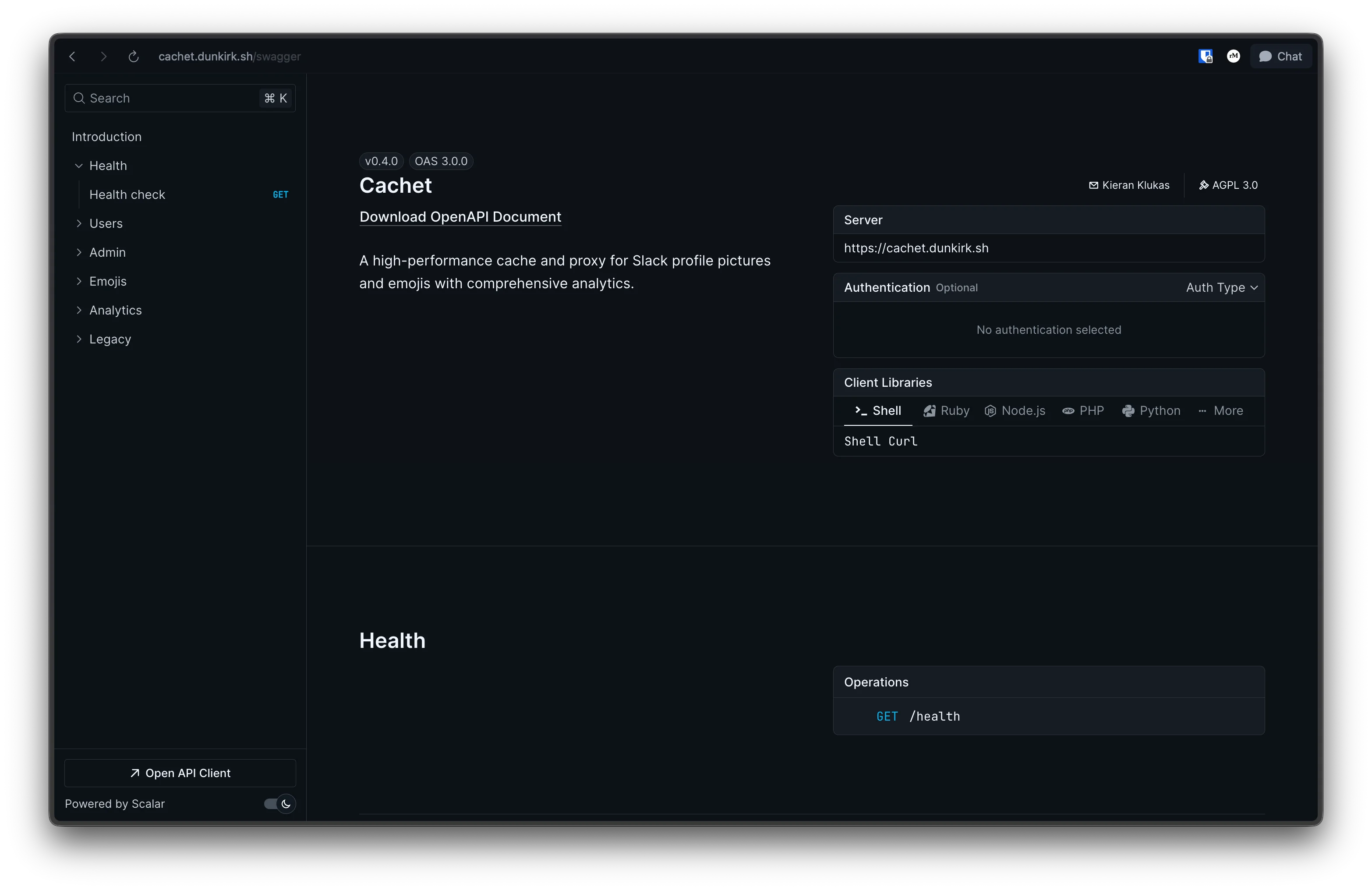
72
73## How does it work?
74
75The app is honestly super simple. It's pretty much just a cache layer on top of the slack api. When you request a profile picture or emoji it first checks the cache. If the image is in the cache it returns the link to the image. If the image is not in the cache it calls the slack api to get the link to image and then stores that in the cache before returning the image link to you!
76
77There were a few interesting hurdles that made this a bit more confusing though. The first was that slack returns the `emoji.list` endpoint with not just regular emojis but also aliased emojis. The aliased emojis doesn't seem that hard at first untill you realize that someone could alias stock slack emojis. That means that we don't have a url to the image and to make it worse slack doesn't have an offically documented way to get the full list of stock emojis. Thankfully an amazing user ([@impressiver](https://github.com/impressiver)) put this all into a handy [gist](https://gist.github.com/impressiver/87b5b9682d935efba8936898fbfe1919) for everyone to use! It was last updated on 2020-12-22 so it's a bit out of date but slack doesn't seem to be changing their emojis too often so it should be fine for now.
78
79```json
80{
81 "ok": true,
82 "emoji": {
83 "hackhaj": "https://emoji.slack-edge.com/T0266FRGM/hackshark/0bf4771247471a48.png",
84 "hackhaj": "alias:hackshark"
85 "face-grinning": "alias:grinning"
86 }
87}
88
89{
90 "grinning": "https://a.slack-edge.com/production-standard-emoji-assets/14.0/google-medium/1f601.png"
91}
92```
93
94The second challenge (technically its not a challenge; more of a side project) was building a custom cache solution based on `Bun:sqlite`. It ended up being far easier than I thought it was going to be and I'm quite happy with how it turned out! It's fully typed which makes it awesome to use and blazing fast due to the native Bun implementation of sqlite. Using it is also dead simple. Just create a new instance of the cache with a db path, a ttl, and a fetch function for the emojis and you're good to go! Inserting and getting data is also super simple and the cache is fully typed!
95
96```typescript
97const cache = new SlackCache(
98 process.env.DATABASE_PATH ?? "./data/cachet.db",
99 24,
100 async () => {
101 console.log("Fetching emojis from Slack");
102 },
103);
104
105await cache.insertUser("U062UG485EE", "https://avatars.slack-edge.com/2024-11-30/8105375749571_53898493372773a01a1f_original.jpg", null);
106await cache.insertEmoji("hackshark", "https://emoji.slack-edge.com/T0266FRGM/hackshark/0bf4771247471a48.png");
107
108const emoji = await cache.getEmoji("hackshark");
109const user = await cache.getUser("U062UG485EE");
110```
111
112The final bit was at this point a bit of a ridiculous one. I didn't like how heavyweight the `bolt` or `slack-edge` packages were so I rolled my own slack api wrapper. It's again fully typed and designed to be as lightweight as possible.
113
114```typescript
115const slack = new Slack(process.env.SLACK_TOKEN, process.env.SLACK_SIGNING_SECRET);
116
117const user = await slack.getUser("U062UG485EE");
118const emojis = await slack.getEmoji();
119```
120
121<p align="center">
122 <img src="https://raw.githubusercontent.com/taciturnaxolotl/carriage/master/.github/images/line-break.svg" />
123</p>
124
125<p align="center">
126 © 2024-present <a href="https://github.com/taciturnaxolotl">Kieran Klukas</a>
127</p>
128
129<p align="center">
130 <a href="https://github.com/taciturnaxolotl/carriage/blob/master/LICENSE.md"><img src="https://img.shields.io/static/v1.svg?style=for-the-badge&label=License&message=AGPL 3.0&logoColor=d9e0ee&colorA=363a4f&colorB=b7bdf8"/></a>
131</p>