an eink camera running on an rpi zero 2 w
 dunkirk.sh
1# Inky
2
3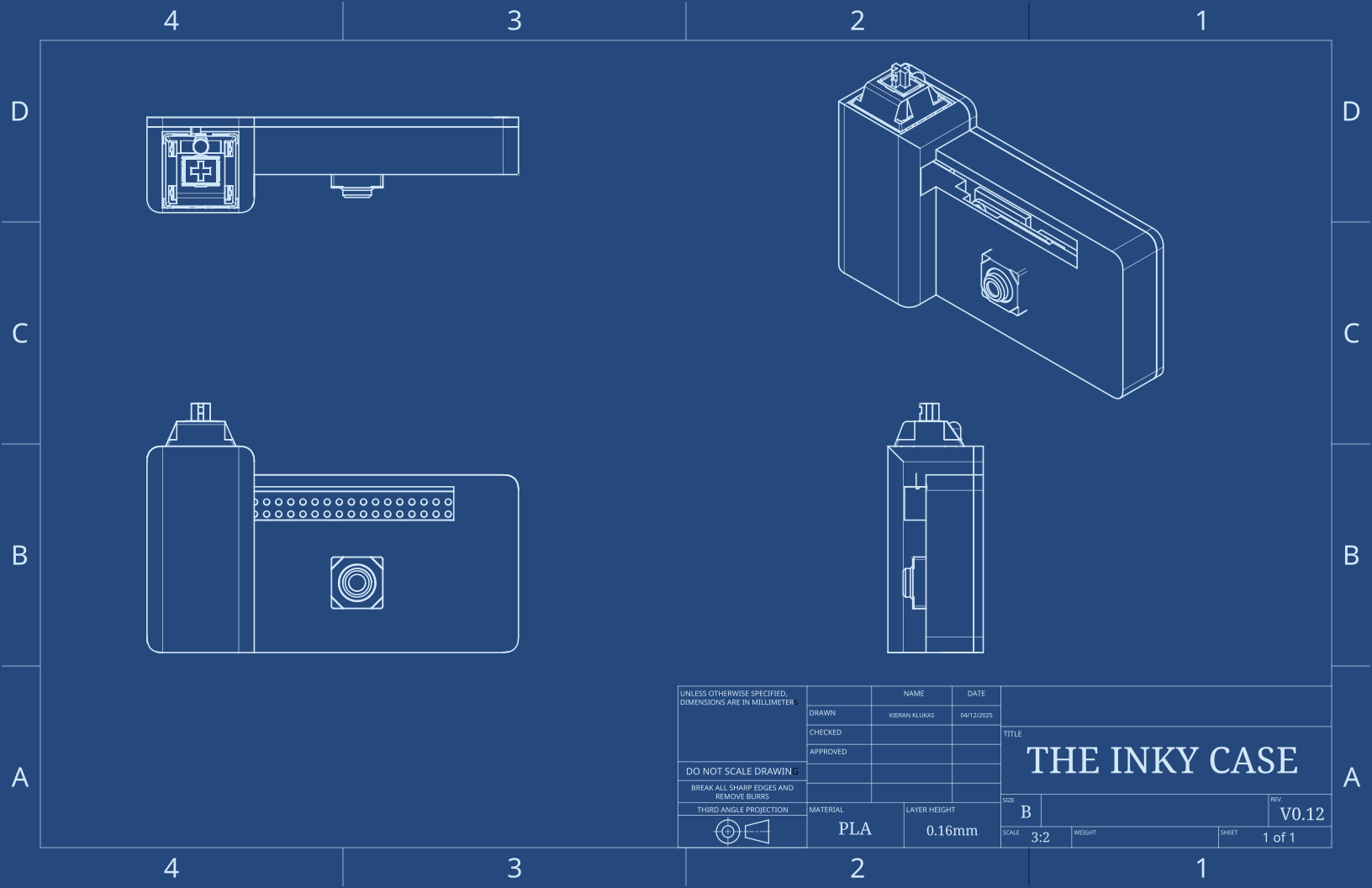
4
5> ### More deets coming soon 👀
6> An open-source, eink-based, rpi zero 2 w powered camera.
7
8## Setup
9
10Put raspberry pi os lite 64-bit onto an SD card using the Raspberry Pi Imager and in the configureation step make sure to 1) add your SSH key and 2) set the user:password to `ink:inkycamera`. Oh and also make sure to add your wifi creds so we can update and install packages.
11
12Next you need to configure network over usb so we can ssh in easily and be able to access the photo webserver.
13
14Before sticking the card into the rpi, navigate to the boot partition and edit:
15
16`config.txt` - add to bottom:
17```txt
18dtoverlay=dwc2
19```
20
21and `cmdline.txt` - apphend to the only line:
22```txt
23modules-load=dwc2,g_ether
24```
25
26Create empty `ssh` file in boot partition to enable SSH or just click the button in the RPI Imager gui.
27
28now ssh in:
29```bash
30ssh ink@inky.local
31# Default password: inkycamera
32```
33
34The firmware instructions are in [`src/README.md`](src/README.md) or you can run the following to auto configure
35
36```bash
37sudo bash -c "$(curl -fsSL hack.club/crgqvn)"
38```
39
40## Build Notes
41
42This was a very fun project to work on because it felt so open ended. I did the case in [onshape](https://cad.onshape.com/documents/cf1e24c66f7dd61abebe0cb7/w/6aa471fe8ad6f1c116b0e667/e/df957c19e601178ca97da17b?renderMode=0&uiState=67fa0bb8d747ac4041a4fb55) and made it into as slim of a design as possible. The pretty blueprint was made by just taking an onshape drawing, swapping out the background color, changing all the line stroke colors to #D2E7F8, and then changing all the text fill to the same color.
43
44The code is bundled into an iso that auto builds via github actions on release which makes it as simple as just flashing an sd card to get running.
45
46## BOM
47
48| Name | Price | Manufacturer/Buy Link |
49|------|--------|---------------------|
50| Mini to Standard Camera Adapter Cable - 38mm | $4.99 | [Vilros](https://vilros.com/products/mini-to-standard-camera-adapter-cable-22-way-0-5mm-pitch-15-way-1mm-pitch-for-raspberry-pi-5-and-zero?variant=40167348633694) |
51| Raspberry Pi Zero 2 W | $15.00 | [Adafruit](https://www.adafruit.com/product/5291) |
52| Raspberry Pi Camera Module - Standard (any version works) | $25.00 | [Adafruit](https://www.adafruit.com/product/5657) |
53
54<p align="center">
55 <img src="https://raw.githubusercontent.com/taciturnaxolotl/carriage/master/.github/images/line-break.svg" />
56</p>
57
58<p align="center">
59 <i><code>© 2025-present <a href="https://github.com/taciturnaxolotl">Kieran Klukas</a></code></i>
60</p>
61
62<p align="center">
63 <a href="https://github.com/taciturnaxolotl/inky/blob/master/LICENSE.md"><img src="https://img.shields.io/static/v1.svg?style=for-the-badge&label=License&message=MIT&logoColor=d9e0ee&colorA=363a4f&colorB=b7bdf8"/></a>
64</p>