the home site for me: also iteration 3 or 4 of my site
 dunkirk.sh
1+++
2title = "Monaspace VS-Code install"
3date = 2023-11-10
4slug = "monaspace-vs-code-install"
5description = "How to install the Github Next team's Monaspace font in VSCode"
6
7[taxonomies]
8tags = ["tutorial", "archival"]
9+++
10
11To install the Monaspace font on macOS (or windows or linux) with VS Code and enable multifont syntax highlighting with the [CSS JS Loader extension](https://marketplace.visualstudio.com/items?itemName=be5invis.vscode-custom-css), you can follow these steps:
12
13<!-- more -->
14
15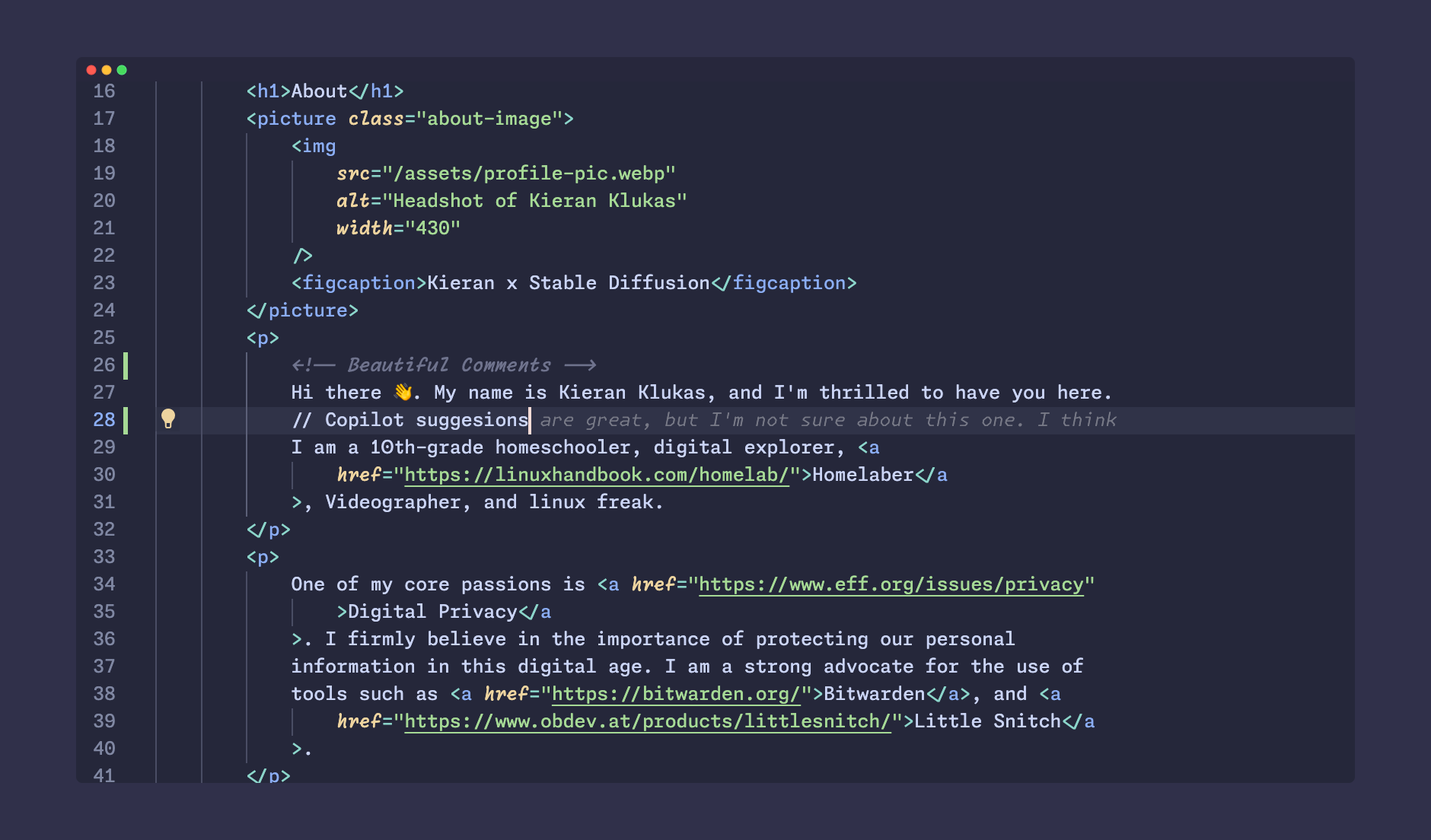{caption="This font is so pretty and has so many features its amazing. It's main downside is to work it takes to set it up."}
16
17
18## 1. Download and install the Monaspace font:
19
20First visit [https://github.com/githubnext/monaspace/releases/latest](https://github.com/githubnext/monaspace/releases/latest) and download the zip.
21Next to install the Monaspace font:
22- On macOS, drag the font files into font book.
23- For windows, drag into the font window in settings.
24- For Linux, clone the repo and run: `cd util; ./install_linux.sh`
25
26## 2. Configure VS Code
27
28Install the [Custom CSS and JS Loader](https://marketplace.visualstudio.com/items?itemName=be5invis.vscode-custom-css) plugin.
29Set the font to one of the following options: `Monaspace Neon Var`, `Monaspace Argon Var`, `Monaspace Xeon Var`, `Monaspace Radon Var`, or `Monaspace Krypton Var`.
30
31- You will find this option under _Editor: Font Family_ in the user preferences
32
33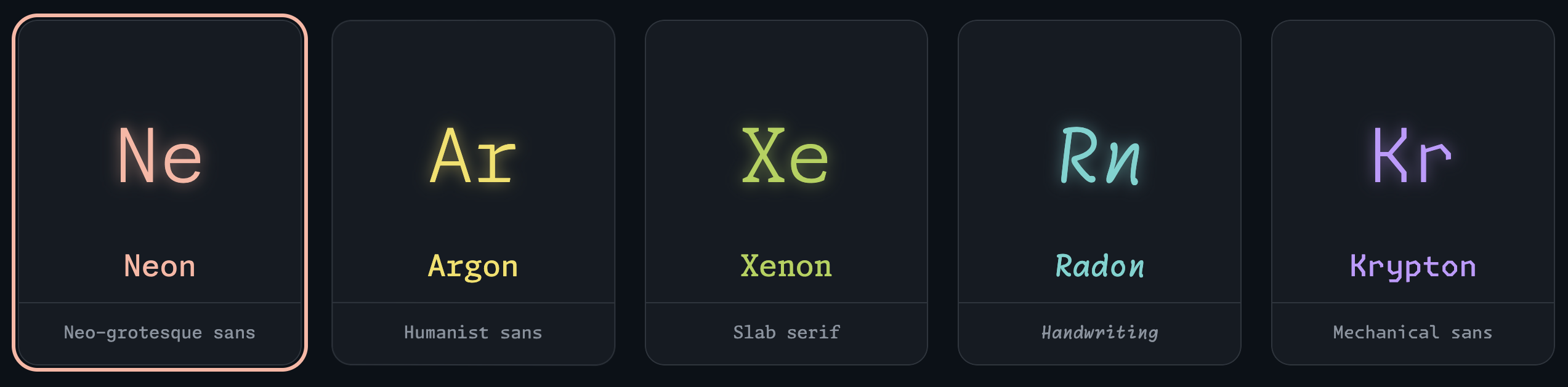
34
35
36Next enable font ligatures in the settings.json with following snippet:
37
38> settings.json
39```json
40"editor.fontLigatures": "'ss01', 'ss02', 'ss03', 'ss04', 'ss05', 'ss06', 'ss07', 'ss08', calt', 'dlig'",
41```
42Now enable the custom CSS file within the `settings.json`, modifying the file path for Windows / MacOS / Linux if needed:
43
44> still settings.json
45```json
46"vscode_custom_css.imports": [
47 "file:///Users/{{user}}/.vscode/style.css", // for mac (remove if not mac)
48 "file://C://Users/{{user}}/vscode/style.css" // for windows (remove if not windows)
49 "file:///home/{{user}}/.vscode/style.css" // for linux (remove if not windows)
50],
51```
52
53## 3. Create custom CSS file at the path you specified above.
54
55Depending on your VS Code version, the class names might be different, so you may need to use the developer tools to find the correct one.
56The styles that worked for me on `VS Code version: 1.84.2 (Universal) commit: 1a5daa3a0231a0fbba4f14db7ec463cf99d7768e` are here:
57
58> style.css
59```css
60/* Comment Class */
61.mtk3 {
62 font-family: "Monaspace Radon Var";
63 font-weight: 500;
64}
65
66/* Copilot Classes */
67.ghost-text-decoration {
68 font-family: "Monaspace Krypton Var";
69 font-weight: 200;
70}
71
72.ghost-text-decoration-preview {
73 font-family: "Monaspace Krypton Var";
74 font-weight: 200;
75}
76```
77
78*Thanks to **[@fspoettel](https://github.com/fspoettel)** on GitHub for this trick to get the copilot classes when in dev mode*
79
80> "You can inspect transient DOM elements by halting the app with a `debugger` after a delay with a debugger call inside a `setTimeout`."
81>
82> <cite>[@fspoettel](https://github.com/fspoettel)</cite>
83
84You can copy the following snippet to do just that!
85
86> console
87```ts
88setTimeout(() => {
89 debugger;
90}, 10000);
91```
92
93Before you are finished make sure you have run the `Enable Custom CSS and JS` command from the command bar.
94
95## Closing Remarks
96
97That should be it! Hopefully you will have a beautiful custom font VS Code install.
98
99If you are looking for a good theme, I can highly recommend the [Catppuccin](https://marketplace.visualstudio.com/items?itemName=Catppuccin.catppuccin-vsc) theme, as that is what I use myself. Be sure to check out [Monaspace’s website](https://monaspace.githubnext.com/) as it is a work of art. Happy Coding! 👩💻
100
101* *Updated 2024-08-22: changed mtk4 to mtk3 on the feedback of [mutammim](https://github.com/mutammim)*
102* *Updated 2024-10-31: changed around the formatting of the post and moved to [dunkirk.sh](https://dunkirk.sh)*